VISAGE is POS Management System


Fast checkout process

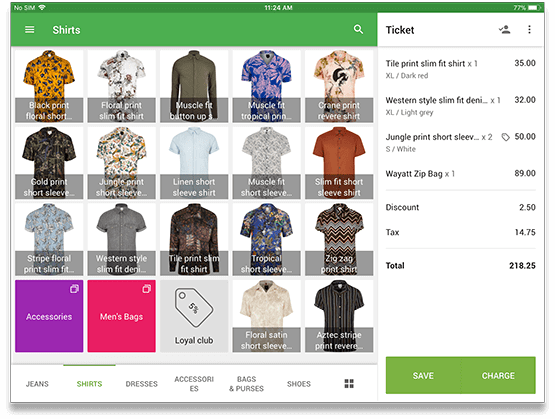
  • Add products to the ticket with just a click by using a barcode scanner or built-in device camera.
  • Easily find your items at the customizable sale screen.
  • Use item variants for goods with multiple versions, like different sizes or colors.
  • Apply discounts and taxes, and make notes to the items or to the receipts.

Flexible configuration for any business

  • Turn your iPad or Android tablet into a modern cash register and start selling in minutes.
  • Set up as many cash registers in your store as you need – all the data will be synced between them.
  • Manage your chain of stores from one place in real time.
  • See all the important information about your sales and products at any time and from any place.

Track your sales

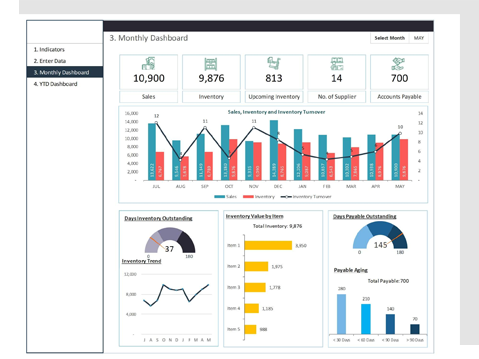
  • Track the sales growth or decline compared with the previous day, week, or month, and promptly react to changes.
  • Sales by item analytics allow the best-selling items to be determined and therefore, the right purchasing decisions can be made.
  • Use different payment types, such as cash, card, cheque, etc. to analyze your sales.

Control cash payins and payouts

  • Check all the cash flow into and out of the cash drawer.
  • Control the real amount of cash in the cash drawer and compare with the expected amount to avoid theft and mistakes.
  • See all the history of any payins/payouts with the employee identifier.

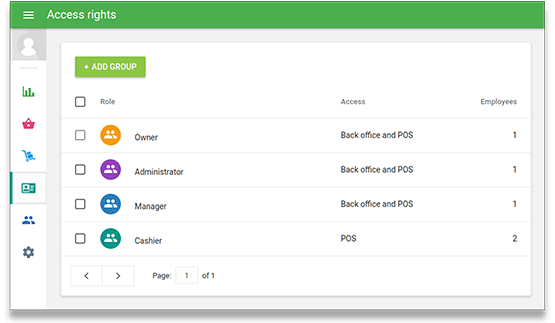
Separate cashier access

  • Each cash register user groups can be assigned different access rights.
  • Restrict employees from accessing sensitive information and functions.
  • Access the cash register app with a PIN code.
  • You can set access rights to void saved items in open tickets.

Manage your employees

  • Create shifts and control all the cash flow and sales inside of them with the shift reports.
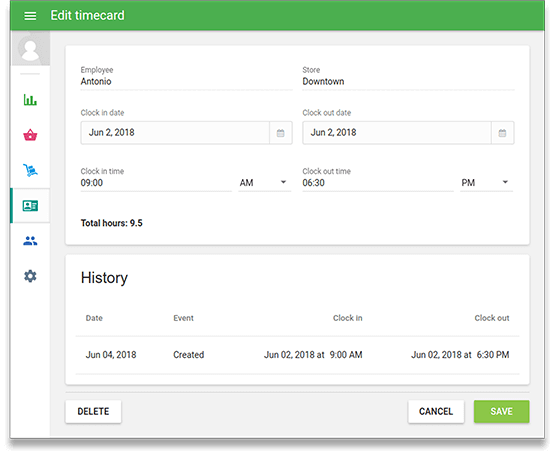
  • Check your employees’ hours worked with the clock-in/clock-out functionality.
  • The information on the workload per hour allows for efficient management of your staff.
  • Track each employee’s sales performance and make informed business decisions.

Extend the ability of your POS device with other hardware

  • Connect receipt printers and customer display to give your customers full information about their purchase.
  • Connect Kitchen displays and kitchen printers to send orders to the kitchen.
  • Connect barcode scanners for quick and accurate sales.
  • Connect card readers to accept credit cards.